15
Nu, pogodi! in a browser
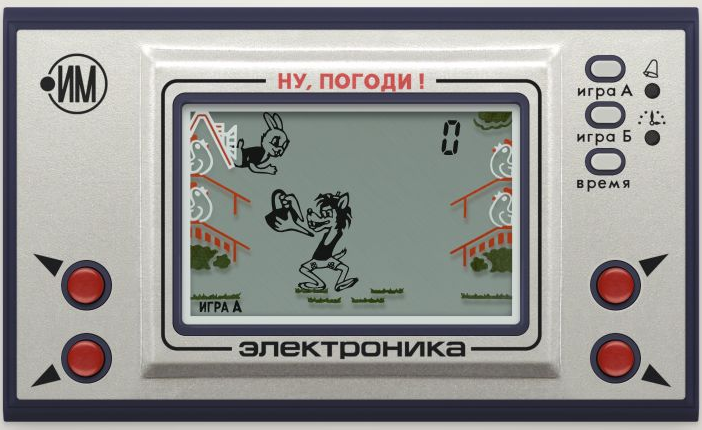
Nu, pogodi! on the Elektronika is an iconic Soviet handheld game from 1984 that still brings back memories for the geeks who grew up with it.
I’m not one of them, but I came across a Habr article featuring AI-made versions of Nu, pogodi!. The results were a long way from the original, and I thought this should be a one-prompt task, so I decided to try it myself.
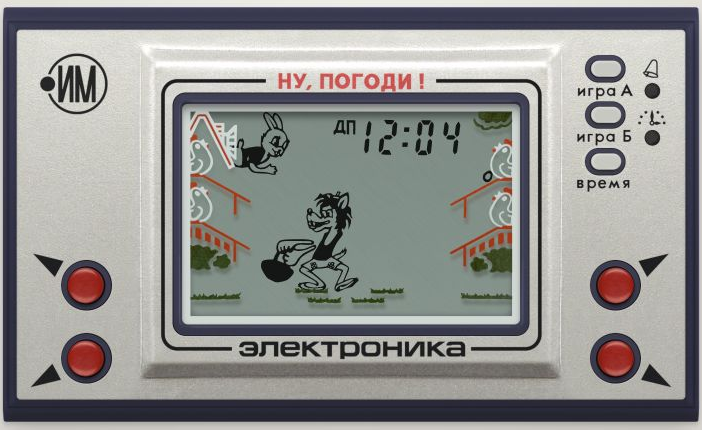
The result is a browser version. The interesting part is how it recreates the game. GPT-6 Astra Extra High chose to make it as faithful as possible by using the original firmware. It downloaded the IM-02 ROM and ported an emulator to JavaScript to execute its instructions and display the LCD segments (yes, using downloaded assets for those too).
The prompt
recreate the Soviet game released on the Elektronika handheld — Nu, pogodi!, where the wolf catches eggs

the interface, algorithm, logic and absolutely everything must match the original exactly

find everything you need to build it yourself; the result should be a web version that can be opened in a browser and hosted on GitHub Pages
Where the game came from
The emulator is based on MAME’s SM510/SM500/SM5A core, adapted to JavaScript for the IM-02 / Sharp SM5A. The original core is by hap, with thanks to Igor.
The firmware determines egg positions, acceleration, scoring and penalties. The display switches 72 segments on and off, just as a segmented LCD does.
The ROM came from pico-nu-pogodi. The graphics are archived material too: segments from the MAME set, case artwork by Lee Robson (hydef), and a backdrop scan by Henrik Algestam.
So an emulator port with a web wrapper is the more precise description. Astra found and downloaded everything on its own, then ported the emulator from C++ to JavaScript — all in 30 minutes, using 5% of my Pro 5x subscription’s weekly allowance.
Try it
Open the game, press “Game A” or “Game B”, and catch some eggs. On a keyboard, Q / A select the upper and lower left baskets; P / L select the right ones. 1 / 2 start the modes, and Space pauses. Controls use physical key positions, including with a Russian keyboard layout.
The source code is available on GitHub. SOURCES.md collects all the source links. I’ve never had a chance to hold one of these devices myself, but if you remember the real Elektronika, give it a try — I’d be interested to hear how closely it matches.